
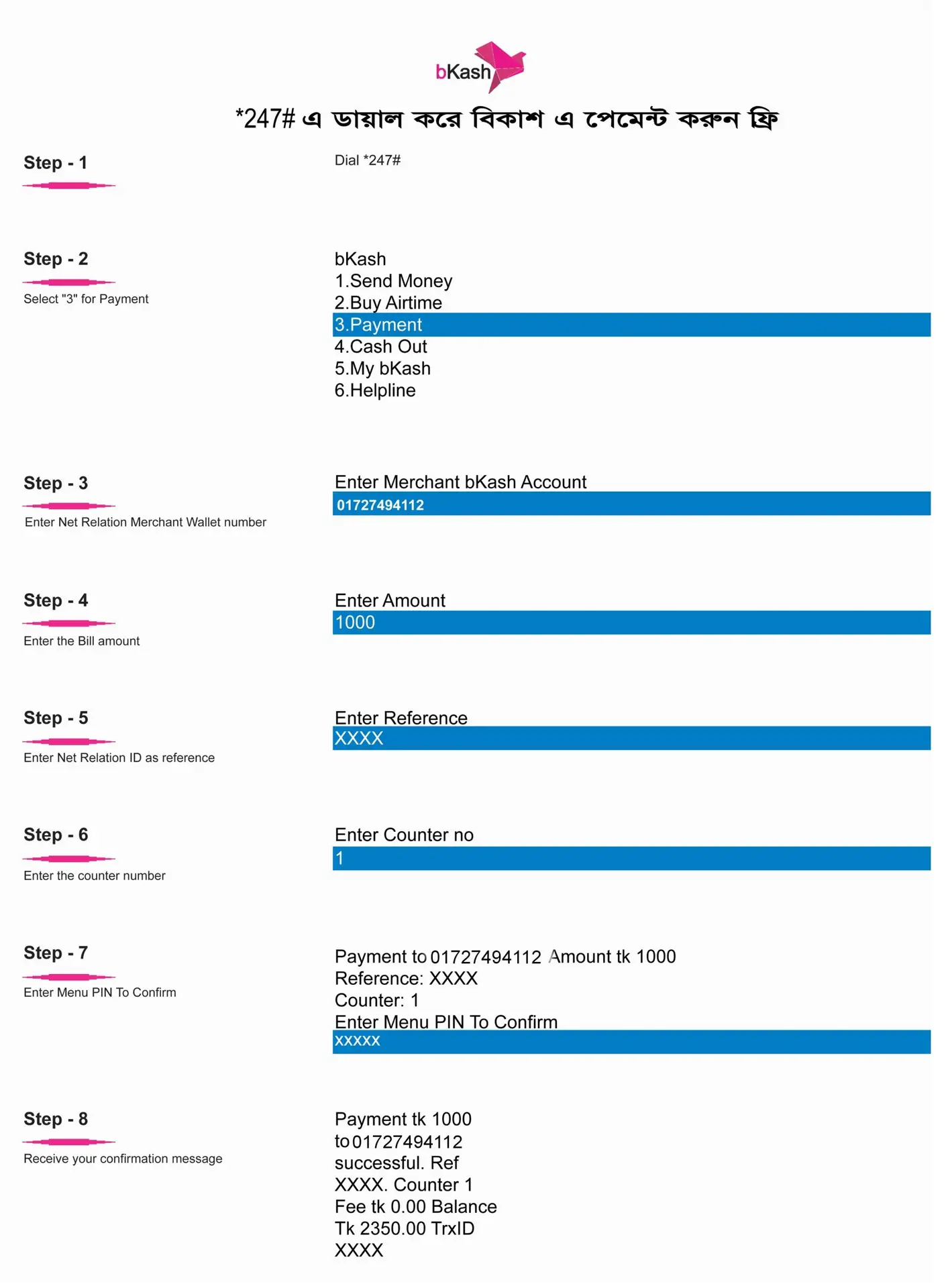
To complete your Internet Bill , you'll need your Net Relation bill number or customer ID. You can find this information on your monthly bill or in your customer account. Having this ready before you start will speed up the entire Internet Bill Payment process.
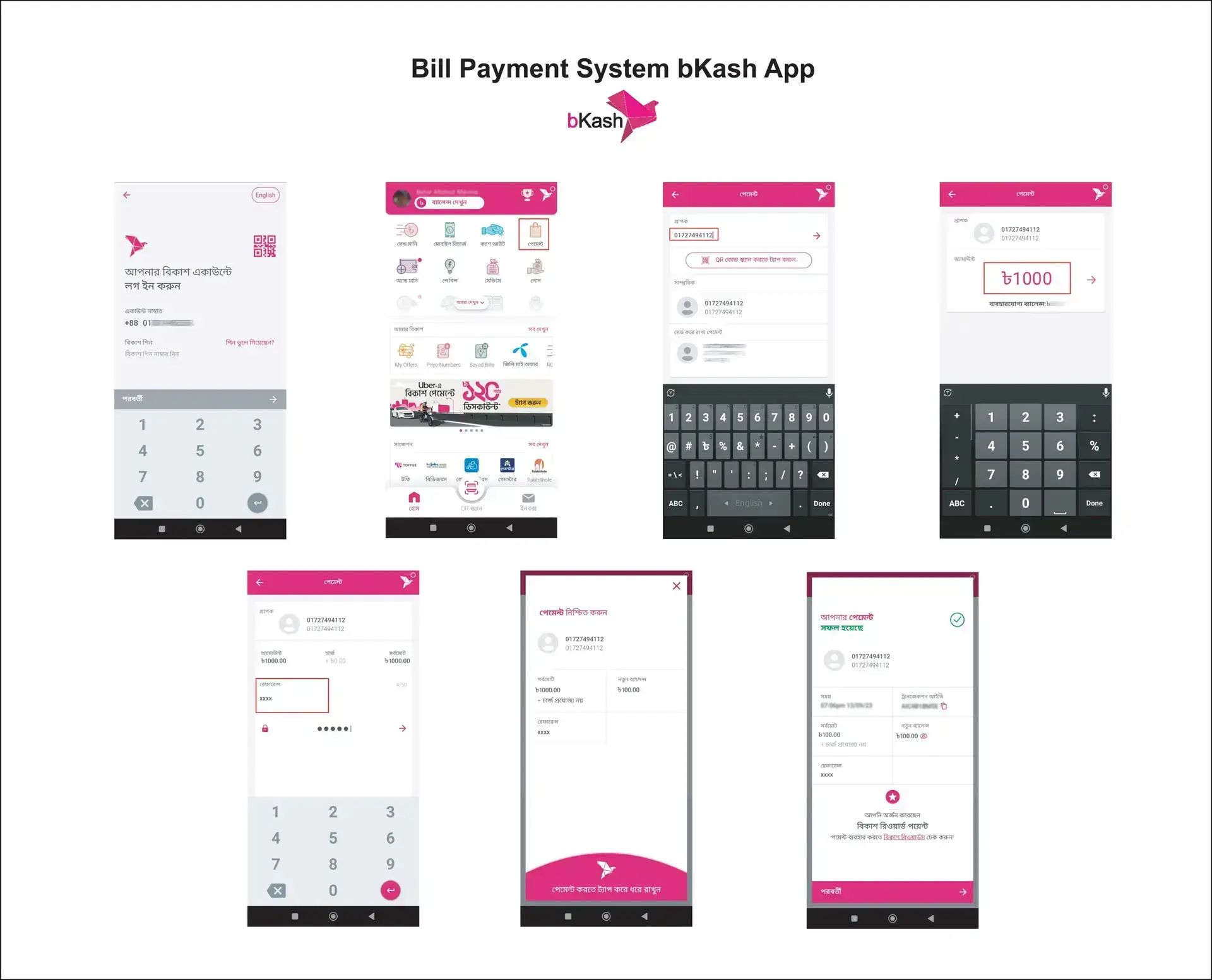
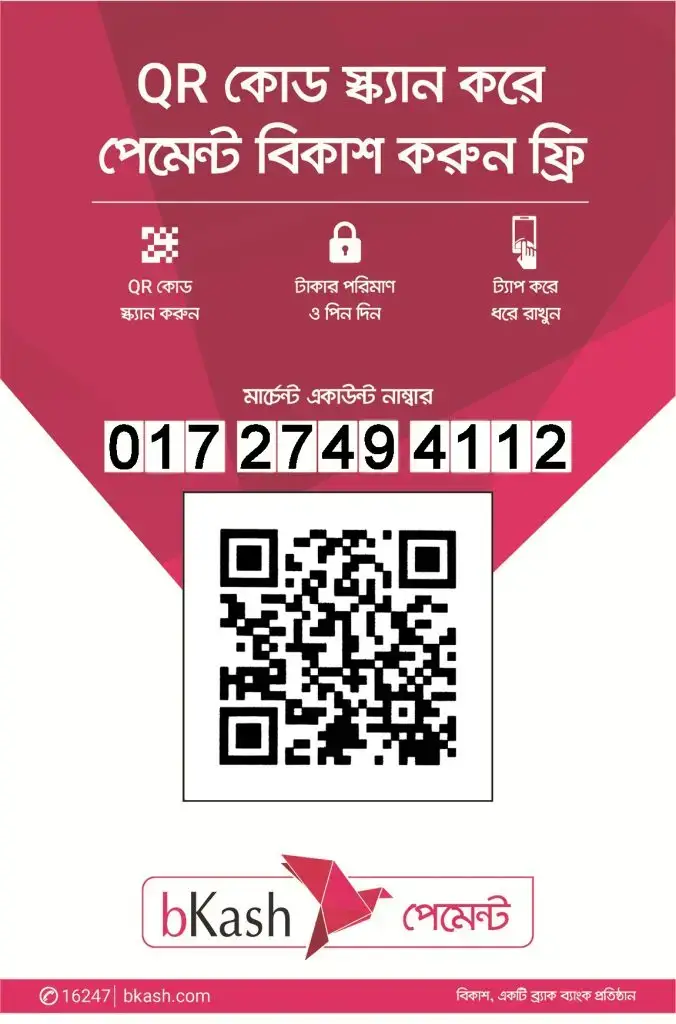
Visit our website and locate the bill payment section. Scan the bKash QR code provided to initiate your Internet Bill Payment. This will directly open the bKash app on your phone, making the payment process seamless.
When processing your Internet Bill, enter your bill amount carefully. Double-check the amount matches your actual Internet bill to avoid any errors. You can add reference notes if needed for your records.
Follow the bKash instructions to complete your Internet Bill Payment. Enter your bKash PIN and confirm the transaction. Your online bill payment will be processed instantly with full security.
Type your paragraph hereAfter your Internet Bill Payment Sylhet is processed, you'll receive an SMS confirmation from bKash. This serves as your official receipt. Your payment will appear in our system within minutes.